If sleep sounds stop when you lock the phone, first check the timer, whether the track needs internet, and the audio output. On Android, also check whether the app is allowed to play in the background. Change one thing at a time and repeat the screen-lock test.
A stopped sound does not always mean the phone killed the app. A timer may have finished, a stream may have lost its connection, or a Bluetooth speaker may have turned off. Identify which part stopped before changing battery settings.
Run a short test while you are awake
- Choose a built-in or already downloaded sound.
- Set a timer longer than your test, or select No limit.
- Play through the phone's speaker at a comfortable low volume.
- Lock the screen and wait long enough to reproduce the problem.
- Unlock it and check whether the player is paused, still counting or reporting an interruption.
If it works through the phone speaker, repeat with your usual headphones or external speaker. If only that output fails, investigate its connection and power settings. Keep the phone test as your baseline.
Match the symptom to the next check
| What you observe | Check next |
|---|---|
| Stops at the selected duration | The sleep timer and fade-out setting |
| Stops only without a connection | Whether that track is actually downloaded |
| The player keeps running but the speaker is silent | Output routing, Bluetooth connection and speaker power |
| Stops soon after locking on Android | The app's background battery settings |
| Stops after a call or another audio app | Whether playback resumes after the interruption |
Check Android background restrictions for this app
Samsung's audio troubleshooting guide explains that an audio app restricted from running in the background can stop when the app or device sleeps. On supported Galaxy versions, start with Settings → Apps → your audio app → Battery and review the available option. Names vary by phone and software version.
For Pixel, Google's battery guide points to Battery → Battery usage → the app → Allow background usage. It recommends keeping optimisation for apps generally. Review the affected audio app rather than disabling battery management across the phone.
If you change this app to an unrestricted or equivalent setting, note the previous setting. Repeat the test and monitor battery use. If the change does not help, restore it before trying another explanation.
Keep iPhone troubleshooting separate
Do not look for Android's sleeping-app controls on iPhone. Start with the same timer, local-track and output checks, then reopen the player after an interruption. If the problem follows one app, check its current help and updates. Avoid assuming a similarly named iPhone setting has the same effect as an Android battery control.
Use Relaaax's playback and interruption controls
Relaaax is designed to play with the screen locked until its timer ends, its alarm starts or you stop playback. Its product page describes built-in and downloaded offline sounds, plus an interruption message showing when sound stopped; on Android, it can point to the relevant setting.
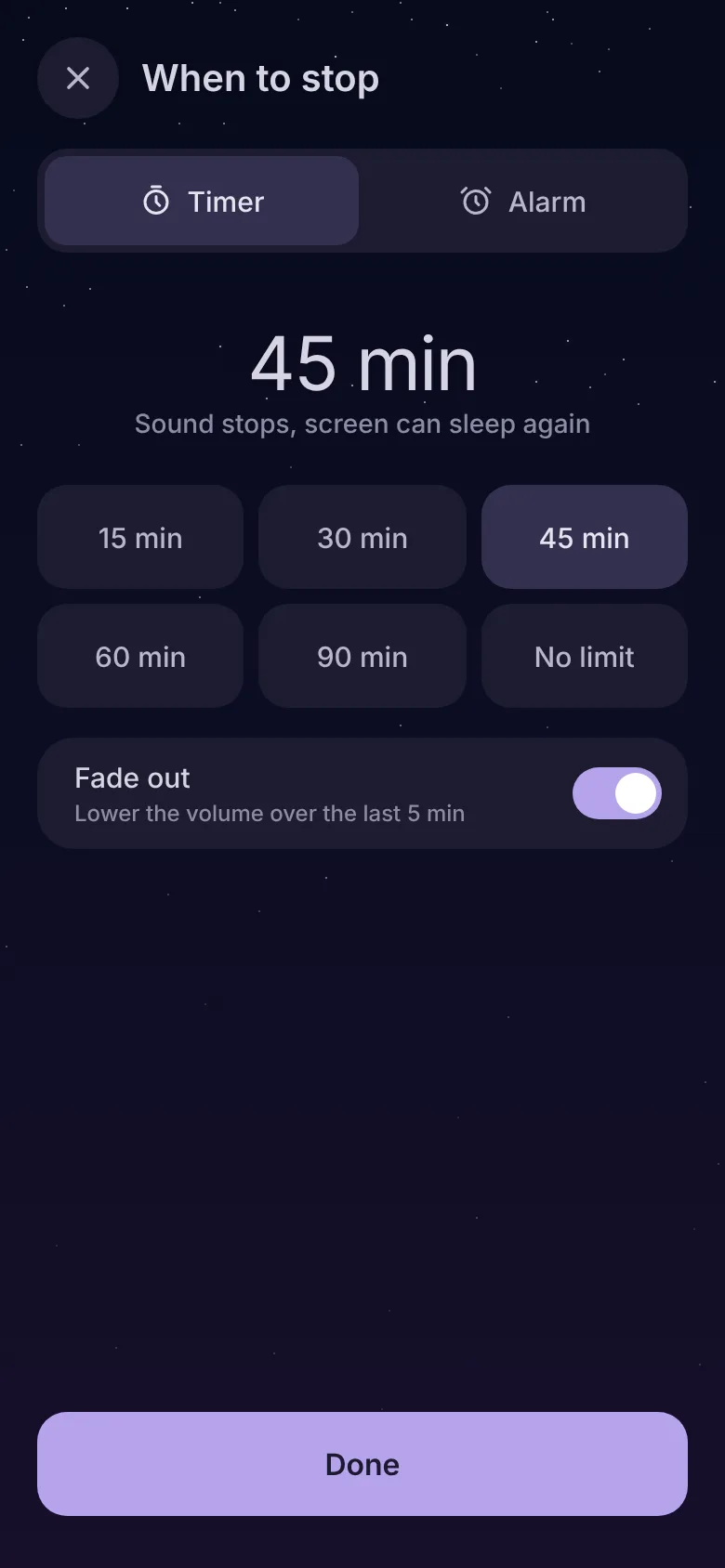
Use that time to compare with the selected timer or an interruption you remember. It is a troubleshooting clue, not proof of the cause. The offline travel guide explains how to verify a sound works without a connection.
If the problem remains
Record the phone model, OS version, app version, chosen track, output and what the player showed after stopping. Those details give support a reproducible problem. Do not clear app storage as an early experiment: you may lose downloads and settings.
Frequently asked questions
Should I disable battery optimisation for every app?
Why does the player run while my speaker is silent?
See the player, offline options and timer controls.
Explore Relaaax