Never miss an
important notification
again
The ultimate solution for tracking, searching, and managing your Windows notifications. Once gone — now saved forever.
We don't.
The Problem
Your Windows screen is constantly flooded with notifications. Important meeting reminders, critical emails, system updates — all competing for your attention.
- You accidentally dismiss notifications without reading them
- You clear all notifications at once and miss something important
- You can't find that notification you saw yesterday
- Windows doesn't save your notification history
Once gone, these notifications are lost forever — until now.
The Solution
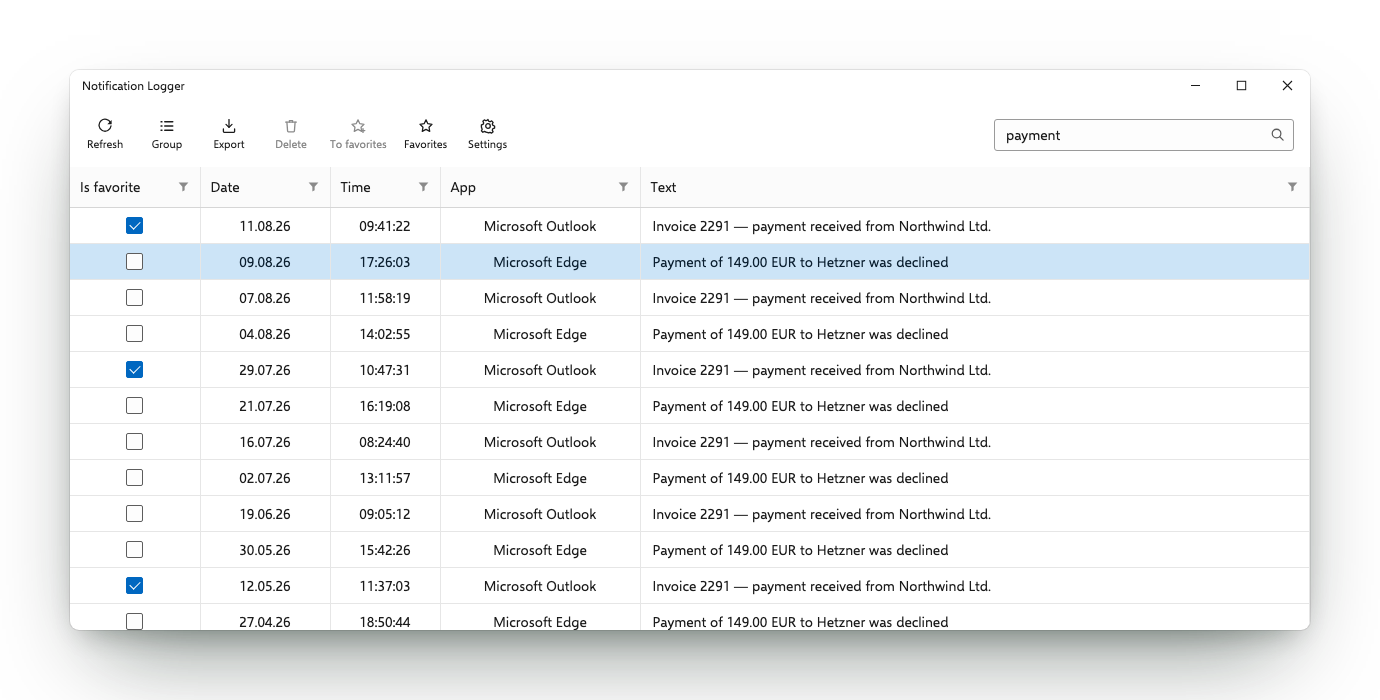
Notification Logger is the first application for Windows 10/11 that automatically saves all your notifications and gives you powerful tools to manage them.
- Never lose important information again
- Search through your entire notification history
- Filter notifications by app, date, or content
- Export your notification history for backup
Take control of your digital life with Notification Logger.
Everything you need to stay on top of your notifications.
Complete History
Save all your notifications indefinitely. No more losing important information when you clear your Action Center.
Advanced Search
Find any notification instantly with powerful search tools, including regular expressions and filters.
Export & Backup
Save your notification history to files for backup or sharing with colleagues and team members.
Smart Filtering
Filter notifications by app, date range, or content to quickly find exactly what you're looking for.
Lightweight & Fast
Runs efficiently in the background without impacting your system performance or battery life.
Privacy-Focused
Your data stays on your device. We don't collect or transmit your notification data anywhere.
From power users to everyday home users — everyone benefits from a notification history.
IT Administrators
Monitor system alerts, security notifications, and activities across your software, hardware or network.
Developers
Track system notifications and error messages for debugging and troubleshooting.
Business Professionals
Never miss important meeting reminders, deadlines, or critical emails.
Home Users
Maintain a history of important alerts about system updates, security, and more.
Ready to take control of your notifications?
Join thousands of satisfied users who never miss important information again.
Download Notification LoggerWhat kind of notifications can I save with Notification Logger?
Can Notification Logger restore old notifications that are already gone?
What operating systems are supported?
Is Notification Logger secure?
How do I install Notification Logger?
The app shows an empty list. How do I fix it?
Where can I find more help?
Don't miss another important notification
Join thousands of satisfied users who have taken control of their digital life.
Download Notification Logger